

Summary of changes introduced in FATpick v2.5.7, including a new playhead alignment control, restored access to My Stats, and other small bug fixes and feature enhancements.
Liner Notes

The FATpick Blog
Play Button Grayed Out: Troubleshooting Windows Microphone Privacy Settings
Users sometimes encounter an issue in which the play button and other media controls on FATpick's song player are disabled, appearing as a grayed-out button that cannot be clicked. The most common cause for this symptom is that FATpick is blocked from accessing the microphone due to the operating system's security or privacy settings. Here's how to address that issue.
How to Share App Logs with FATpick Support
The FATpick app writes error messages and other basic debugging information to a small text file on your local hard drive. If you run into an unexpected problem with FATpick it's possible the log will contain information that can help our support team troubleshoot the issue. There is a button in the app that will upload the contents of that error log to our servers where our support team can review it. Here's how to do that.
Using the Focusrite Scarlett Solo with FATpick

FATpick works great with your laptop's built-in microphone, an external USB or AUX mic, or guitar-to-USB connection like Rocksmith's Real Tone cable. But it's hard to beat the quality, performance and convenience offered by an external audio interface. Some users have had questions about how to use an audio interface like the Focusrite Scarlett Solo to connect their guitar to FATpick. This post has answers.
This guide is based on the Scarlett Solo - a simple but powerful device the maps two inputs (an XLR microphone and a 1/4" line/instrument/guitar cable) into a two-channel stereo output stream that connects to your computer via USB - but FATpick supports audio interface devices of all shapes and sizes, and in most configurations. We've selected the Solo as an example, due to it's popularity and simplicity, but the information and advice contained herein should also be helpful for and applicable to most other USB audio interface devices.
Note Detection Basics
General guidelines on how to improve the accuracy of the note detection that powers FATpick's real-time note accuracy and timing feedback. Advice on troubleshooting common problems with note recognition.
Audio Device Input and Channel Configuration

If you're using a multi-port audio interface device - like the Focusrite Scarlet series, to name one popular example - here's how to configure FATpick to monitor an arbitrary input and channel.
Understanding Tempo

Glossary of traditional tempo annotations in Italian, German, and French.
Representative examples of beats-per-minute (bpm) range for popular musical genres like hip-hop, EDM, rock, country, salsa, heavy metal, and others.
A brief history of custom songs in Yousician
From 2016 to 2018 Yousician included a powerful set of tools for adding custom songs to their platform. Users could create their own content with the in-app Song Creator, import tabs from Guitar Pro files, and even generate transcriptions directly from audio files and YouTube videos. These features were so compelling that even today it's common to see users looking for a way to restore this functionality to the Yousician platform by installing an older version of the app. That's not possible - and would be inadvisable even it it worked - but there are a number of modern alternatives that approximate those capabilities.
Release Notes for FATpick v2.5.6

FATpick v2.5.6 includes several new, small-scale features, a collection of bug fixes, and few other minor enhancements. Feature improvements include random songs lists, duplicate song detection, new auto-discovery chord types, and the option to flip any tab on the vertical axis. Issues with unplayable tracks, accurate representation of relative string gauges, and the proper annotation of inverted chord fingerings have been addressed.
Shuffle (Random) Song List
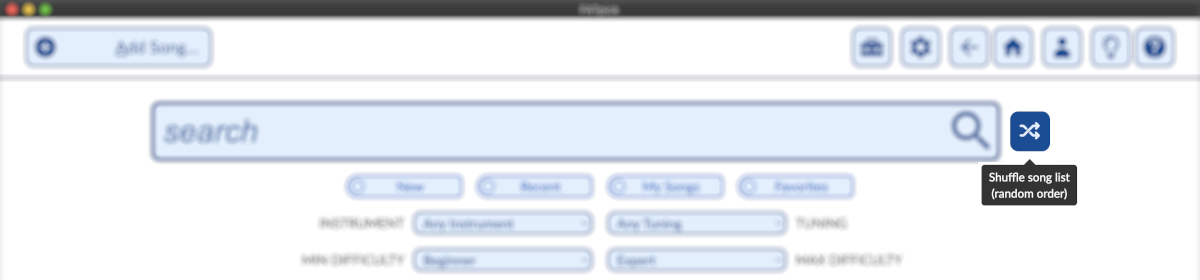
To help you to explore the growing library of songs shared by FATpick users, the song search interface now includes a "shuffle" button that will randomize the order in which the matching songs appear.
Flip Strings on Tablature
Left-handed guitarists and others may be interested in FATpick's new, unique Flip Strings feature. Enable this setting will reverse the order in which strings appear on the tablature, effectively mirroring the tab across a vertical access. Lefties that play a right-handed guitar upside down - like Jimi Hendrix did BTW - are one group that might want to try this feature. Mandolin players looking to expand their repertoire with equivalent but upside-down bass transcriptions are another.
Release Notes for FATpick v2.5.5

Summary of changes introduced in FATpick v2.5.5. Infrastructure upgrade to lay the foundation for upcoming releases.
← Newer Posts
 Atom Feed
 JSON Feed